Many teams have needs that don’t quite justify an application: a comparison tool for reviewing proposals, a decision log or an inventory that will only be needed during a migration. They are usually handled with whatever is already at hand. Building something of your own forces you to decide where it is hosted, how its data is stored and who can get in. Sometimes that surrounding work weighs more than the tool itself.
In When software lasts as long as the problem we discussed applications generated for a specific task. But writing the code is only part of it: they need a place where they can run, keep what we do and be shared. Cloudflare OS proposes that place. At Codin we have deployed it to explore what can be done with it.
A work environment you can also modify
Cloudflare OS is an open project from Cloudflare that brings together AI agents, small applications and controlled access to external services. It is used from the browser and can be deployed on your own installation.
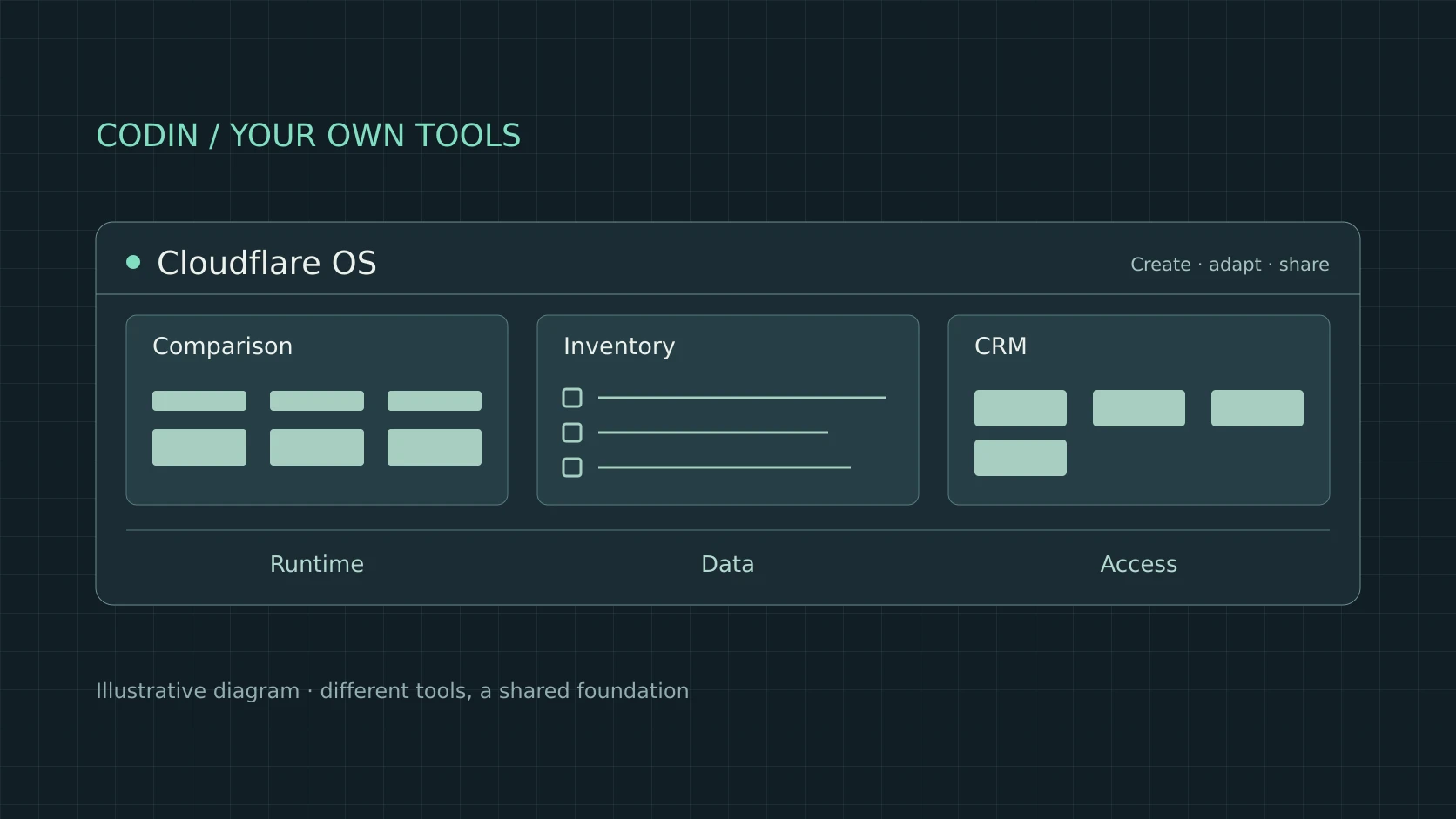
The comparison Cloudflare offers helps to understand it: imagine an office suite where every file could be a custom-built application. Instead of always choosing between a document, a spreadsheet or a presentation, you could create a tool with the fields, views and actions you need. OS calls these applications gadgets, and you can adapt and share them.
The difference shows up with something simple. Suppose we want to compare proposals from several vendors. A table collects the data, but perhaps we also need to flag doubts, keep the reasoning behind each assessment and show only the relevant differences. An application of our own would let us bring that whole process together on a single screen. What makes OS interesting is that it offers a common environment for building tools like this, without setting up separate infrastructure for each one.
Illustrative exampleFrom an idea to a tool
Conversation
I want to compare three vendor proposals: timeline, scope and support.
I'll set up a comparison with one column per proposal and one row per criterion.
Add each one's terms and let me filter by included support.
Describe: the request starts from a concrete task. It is enough to explain what needs comparing and by which criteria.
Build: the assistant proposes a first version of the gadget. Here it is an outline with three fictional vendors, timelines and scope.
Adapt: a new need comes up during the review. The tool adds a row for terms and a filter that pushes the proposal without included support into the background.
From asking for a tool to working with it
The built-in assistant lets you describe a gadget and ask for changes to it. The conversation can carry on once the first version exists: adding a view, changing how a result is presented or incorporating an action. The tool’s code remains available for further changes.
This changes our relationship with a small application. Going back to the comparison tool, realising halfway through the review that we also need to record a vendor’s terms could lead to a change in the tool. We would no longer have to squeeze the whole task into what the first screen allowed. Naturally, we would need to check that the change preserves the data and does what we expect.
In OS, the conversation and the application share the same space. On the left sit the request and its history; on the right we can use the gadget, open its files or review the services connected to it. These are the three views from our installation:
Real screenshotsOne gadget, three ways of working
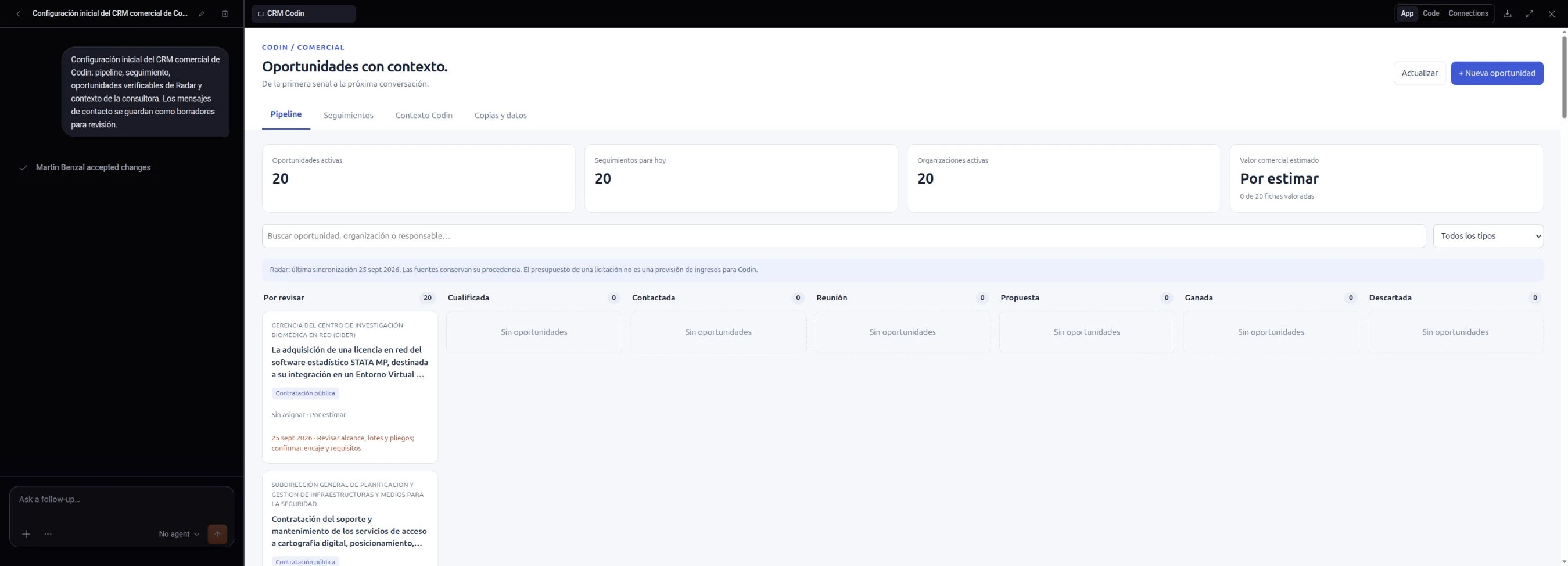
1 · The request stays in view. In this case: a CRM with a pipeline, follow-ups and opportunities from Radar. Below it, a record shows that the changes were accepted.
2 · The application is used alongside it. The App tab opens the gadget: you can check the board and work with its data without leaving the space.
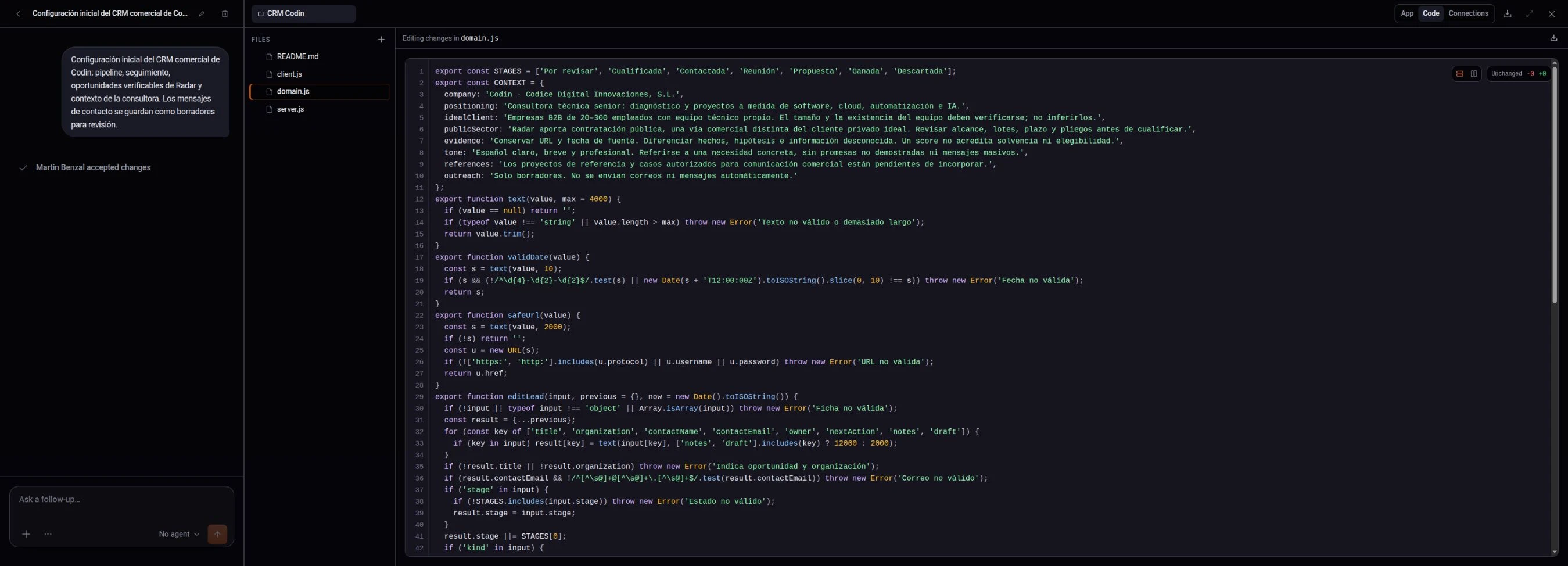
1 · The files are accessible. Code brings together the gadget's interface and logic. We can move from the application to its implementation in a single tab.
2 · The rules can be reviewed. Here you can see the CRM stages and the context it uses. The conversation stays alongside while we inspect the code.
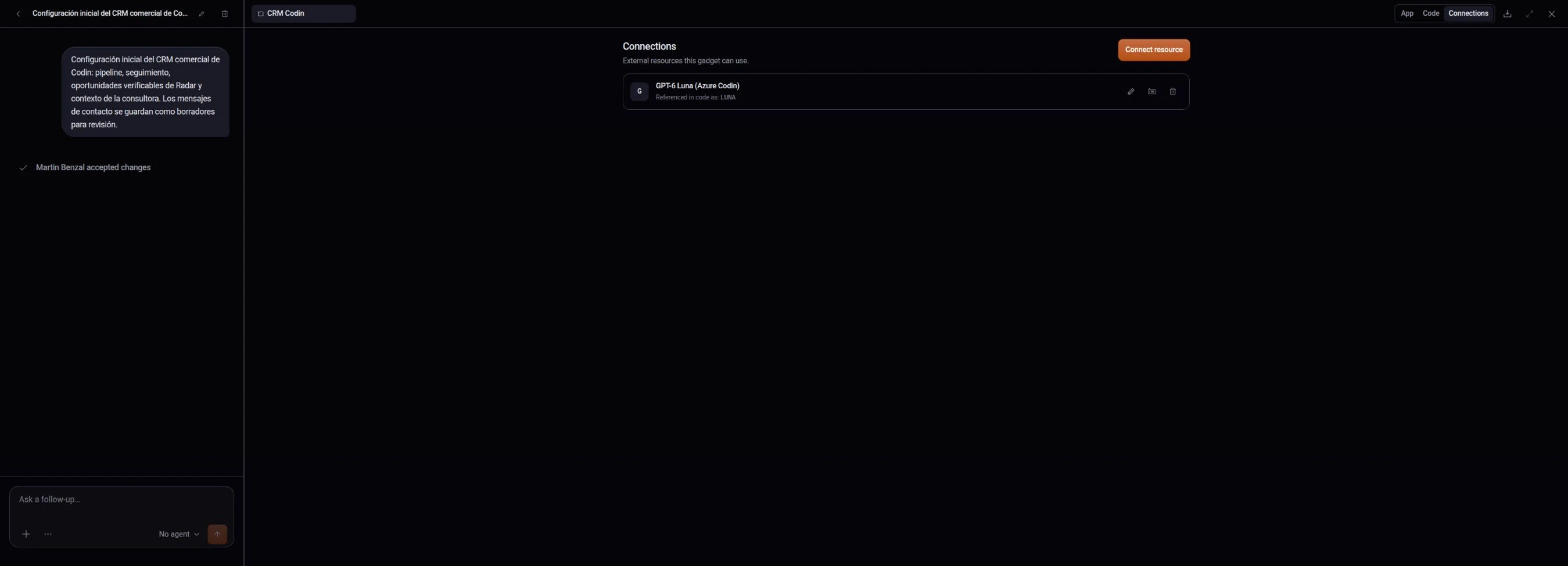
1 · The gadget's resources have their own panel. Connections shows the available model and the name the code uses for it: LUNA. That connection makes it possible to request an analysis from within the CRM.
The CRM let us try out that process with public information imported from Codin Radar. It is a first version, with manual import, but it brings together an application that keeps its data, code we can modify and an AI connection for analysing opportunities.
The example also separates two uses of AI. One helps write the tool; the other performs a task inside it. Saving a note or changing a stage is still conventional software. The application does not need a model to reimagine it every time someone uses it.
Building with the tools you already use
In our test we wrote the gadget with Codex, from our usual environment, and installed it through the OS API. That API uses Cap’n Web, a Cloudflare library for calling remote functions from JavaScript. The process consisted of changing the code, reviewing it and sending the new version.
We find this option especially useful for technical teams. We can keep the editor, the model and the code review practices we already work with. OS becomes the place where the application runs and keeps its data, even if it is built outside its assistant.
It also makes it possible to divide the work. One person can set out what they need and review the interface; another can take care of the parts that require more care. The conversation helps pin down the tool, and the code is still there when we need to understand or fix its behaviour.
Sharing a tool or reusing its design
OS distinguishes between access to use and access to build. Whoever receives the first works with the application and its features; whoever receives the second can also modify the code. Using does not only mean reading: a gadget can let people record information or request an analysis without granting access to its development.
There is another way of sharing that is just as interesting: blueprints. They are templates of complete applications. They let someone else create their own copy of the gadget with its own storage and connections, without taking along the history, saved data or credentials of the original instance.
The difference is a practical one. One team could work together on the same migration inventory. Another could reuse its design for a different migration, with its own systems and owners. In the first case they share the work; in the second, a tool that saves them from starting from scratch.
Illustrative exampleSharing the work or the design
Lucíasame instanceoriginal instance
North Migration
- Mail server Lucía: check DNS
- Customer database Andrés: exported
- Office VPN Lucía: pending
Andréssame instancenew copy
North Migration
- Mail server Lucía: check DNS
- Customer database Andrés: exported
- Office VPN Lucía: pending
South Migration
- Supplier portal Andrés: request access
- File storage
- Floor printers Andrés: take inventory
Work together: both people open the same tool and see the same data, so whatever one of them notes down appears for the other. With access to use, they can record information; changing the code requires access to build.
Create a copy: a blueprint describes the complete application and lets you create another instance with its own storage and connections. The design is reused; the original's history, data and credentials do not carry over to the copy.
External connections also have their place in the proposal. OS uses Gatekeepers, components that mediate the access of agents and gadgets to specific resources. That requires configuring the corresponding integrations: deploying OS does not automatically connect every system in the company.
What deserves its own tool
Cloudflare presents OS as a project that is still in development. Our experience is also early: we have tried out one application, not measured a change in the team’s productivity. And a tool of your own still needs maintenance; an established product may handle a process better if it depends on many integrations or needs ongoing support.
Even so, it is worth looking at that space of small tasks that generic tools only half cover. A proposal reviewer can support a recurring process. A migration inventory may only make sense for a few weeks. Both need an interface, some rules and data that persist, even though they last for different lengths of time.
What we want to keep exploring in Cloudflare OS is that possibility: having the place where these tools can live ready in advance. If each one requires starting a whole project, many are never even considered. If part of the work is already solved, the question can move closer to the task: what we need to do and which application would help us do it.